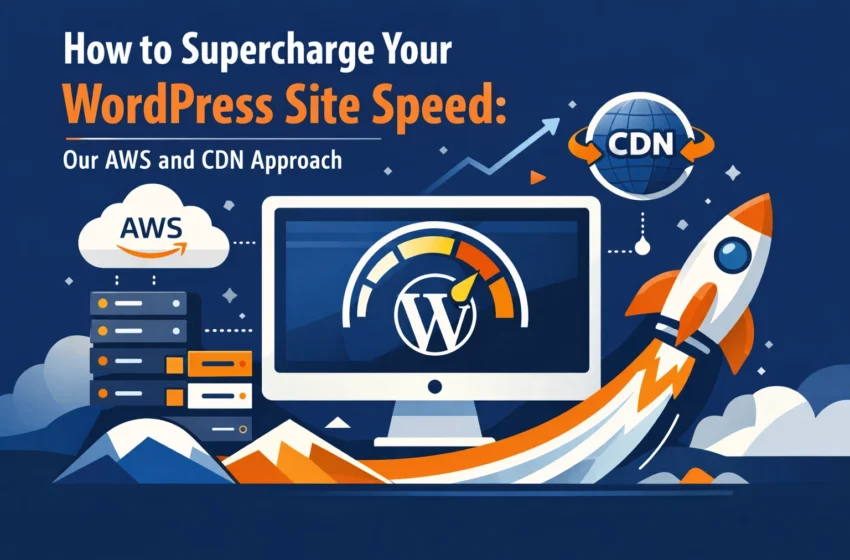
In 2026, patience isn't just a virtue, it’s a lost art. If your website takes more than two seconds to load, your potential customers have already clicked away and found your competitor. For business owners, a slow WordPress site is a silent revenue killer. It hurts your SEO rankings, destroys your user experience, and sends your bounce rates through the roof.
At Anantek Technologies, we don’t believe in "quick fixes" or bloated plugins that promise the world but deliver a sluggish mess. We believe in engineering speed from the ground up. Whether you are running a high-traffic e-commerce store or a complex corporate portal, you need a strategy that scales.
In this guide, we’re pulling back the curtain on how we use enterprise-grade tech, specifically AWS (Amazon Web Services) and CDN (Content Delivery Networks), to turn sluggish WordPress sites into high-performance assets.
Why Speed is Your Biggest Competitive Advantage
Before we dive into the "how," let's talk about the "why." You might be wondering if shaving half a second off your load time really matters. The answer is a resounding yes.
Google’s Core Web Vitals are more important than ever. Search engines reward fast websites with better visibility. But beyond the bots, real people demand speed. Faster sites see higher conversion rates, more page views per session, and better brand trust. When you invest in a wordpress speed optimization service, you aren't just paying for a faster site; you’re investing in your bottom line.

The Anantek Approach: Beyond the Standard Plugin
Most "how to speed up wordpress site" tutorials tell you to install a caching plugin and hope for the best. While caching is important, it’s only one piece of the puzzle. At Anantek, our custom wordpress development services focus on a holistic infrastructure that moves the heavy lifting away from your WordPress server.
1. Offloading with AWS Storage
One of the primary reasons WordPress sites slow down is a bloated "uploads" folder. As you add high-resolution images, PDFs, and videos, your server has to work harder to manage these files.
We solve this by integrating AWS S3 (Simple Storage Service). Instead of storing your media files on the same server as your website code, we offload them to Amazon’s ultra-reliable cloud storage. This frees up your server to focus on what it does best: processing PHP and serving your site’s logic.
2. Global Distribution via CDN
A CDN is no longer optional. If your server is in London but your customer is in New York, the physical distance causes latency. We use global CDN platforms (like AWS CloudFront or Cloudflare) to cache your site’s static assets across hundreds of "edge locations" worldwide.
When a user visits your site, the CDN serves the images, CSS, and JavaScript from the server closest to them. This dramatically reduces the "Time to First Byte" (TTFB) and makes your site feel instantaneous, regardless of where your audience is located.
How to Speed Up Your WordPress Site: A Practical Action Plan
If you’re ready to take your site performance seriously, here are the steps we recommend to move the needle.
Step 1: Audit Your Current Infrastructure
You can't fix what you haven't measured. Use tools like Google PageSpeed Insights or GTmetrix to see where your bottlenecks are. Look specifically at "Largest Contentful Paint" (LCP) and "Total Blocking Time" (TBT). If your hosting is a basic shared plan, no amount of optimization will save you. You need a environment tailored for performance.
Step 2: Implement Multi-Layer Caching
Caching is the process of storing a "snapshot" of your page so the server doesn't have to rebuild it from scratch every time someone visits. We implement three layers:
- Browser Caching: Tells the visitor's browser to save certain files locally.
- Page Caching: Serves static HTML versions of your dynamic pages.
- Object Caching (Redis/Memcached): Speeds up database queries, which is crucial for high-traffic sites.
Step 3: Optimize Your Media Delivery
Don't just upload a 5MB image and call it a day.
- WebP Format: Convert all images to WebP, which offers superior compression without losing quality.
- Lazy Loading: Ensure images only load as the user scrolls down to them.
- AWS Integration: As mentioned, use AWS S3 to serve these assets so your main server stays lean.
Step 4: Modernize Your Code Delivery
The way your site handles code matters. We utilize Brotli compression, which is more efficient than the older GZIP standard, to shrink the size of your files before they are sent to the user. We also ensure your site is running on HTTP/3, the latest internet protocol designed for speed and security on modern mobile networks.
Transforming Performance into Results
Many businesses come to us after trying every plugin in the WordPress repository, only to find their site is still lagging. The reality is that true speed comes from the architecture, not just the interface.
By leveraging software development best practices, we strip away the bloat. We look at how your theme is built and how your database is structured. Sometimes, "speeding up" a site actually means removing the three or four redundant plugins that are fighting for resources in the background.
Check out our portfolio to see how we’ve helped other businesses transform their digital presence through better performance and smarter engineering.
The Scalability Factor: Why AWS Matters
As your business grows, your website should be an asset, not a liability. A standard hosting environment might handle 100 visitors at once, but what happens when you run a marketing campaign and 10,000 people show up?
This is where the AWS approach shines. AWS allows for autoscaling. When traffic spikes, the infrastructure expands to meet the demand. When traffic drops, it scales back down. This ensures your site never crashes during your most important business moments. Combined with a robust CDN, your content remains lightning-fast even under heavy load.

Stop Losing Customers to Slow Load Times
Your website is often the first interaction a client has with your brand. If that interaction is frustrating and slow, you’ve lost them before you’ve even had a chance to say hello.
Optimizing a WordPress site for 2026 requires more than just a few settings tweaks. It requires a partner who understands the intersection of web development, cloud infrastructure, and user behavior. At Anantek Technologies, we specialize in exactly that.
We take the technical burden off your shoulders so you can focus on running your business. From custom web app development to enterprise-level WordPress optimization, we build the tools that drive your growth forward.
Ready to Fast-Track Your Website?
Don't let a slow website hold your business back. Whether you need a complete overhaul or a targeted speed boost, our team at Anantek Technologies is ready to help. We’ll look at your current setup, identify the bottlenecks, and implement a high-performance AWS and CDN strategy tailored to your needs.
Let’s turn your website into your fastest salesperson. Contact us today to start the conversation. Your users: and your bottom line( will thank you.)