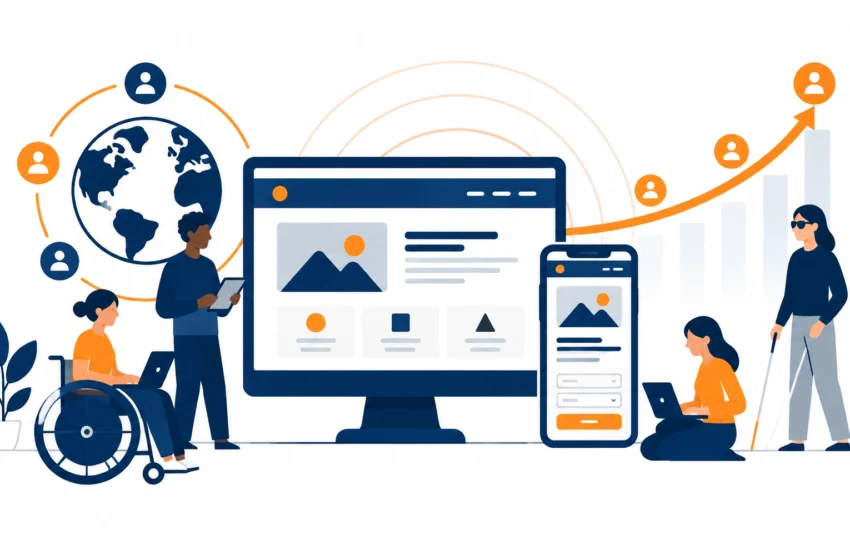
Accessibility is not just a box to tick. It is a practical way to make your website or app easier to use, reach more people and help more customers complete the tasks that matter to your business.
Think about the journeys your digital experience supports: finding opening times, booking a table, buying a ticket, submitting an enquiry or using a business app. If those journeys are clear and usable for more people, your business has more opportunities to connect with customers.
That makes accessibility a growth decision. And the best time to make that decision is while you shape your digital experience, not after it has gone live.
Unlock more value from the journeys you already have
Accessibility means designing and building digital products so people with different abilities can use them. That includes people who use screen readers or keyboard navigation, and people with low vision, hearing loss, limited dexterity or cognitive disabilities.
It also helps customers in everyday situations. Someone may be using a phone in bright sunlight, browsing with one hand, dealing with a temporary injury or trying to complete a task in a noisy environment. Clear text, easy-to-use controls and straightforward forms help in all of these situations.
The business benefit is tangible: fewer barriers between your customers and the action they want to take. A visitor who can navigate a booking flow, understand a form and fix a mistake has a clearer route to becoming a customer.
Imagine a football club whose ticket information is easy to find, whose checkout works with a keyboard and whose form labels make sense with assistive technology. Those improvements serve disabled supporters, and also help anyone who wants to complete a purchase quickly on a phone.
Accessibility expands the group of people who can use your digital services. It also helps your existing audience get more from them.
Create a clearer experience for every customer
Good accessibility shows up in the details of a user journey. It is not a separate layer added to a finished website.
A customer should be able to move through your site using a keyboard, see which button or link is currently selected, and understand how each page is organised. Headings should create a clear structure. Links and buttons should explain what they do. Forms should label each field and give useful guidance when something needs attention.
For example, if a customer leaves a required field blank, a form should identify the issue in clear text and help them correct it. Colour alone should not signal an error. A visible outline should show where keyboard focus sits. And important information should not rely only on an image when a text alternative can explain it.
These details align with the Web Content Accessibility Guidelines (WCAG) 2.2, an international standard for accessible web content. WCAG gives teams a shared framework for designing and testing experiences. It covers websites and apps across devices, including mobile.
What does this look like in practice?
- Make navigation predictable. Use clear menus, meaningful page headings and links that describe their destination.
- Support different ways to interact. Make key controls usable with a keyboard as well as a mouse or touchscreen.
- Make content easier to perceive. Use readable contrast, text alternatives for meaningful images, and captions or transcripts where appropriate.
- Design helpful forms. Label fields, explain errors in text and make it clear how to complete the next step.
- Build for mobile use. Give controls room to tap and make sure content remains usable when the screen or text size changes.

Turn accessibility into an advantage, not a retrofit
Accessibility and good design often reinforce each other. A well-structured page is easier for customers to scan and easier for a team to update. Consistent components help users learn how your site works, while also making the experience simpler to maintain.
The same principle applies to development quality. When teams use clear page structures and standard controls, they create a more coherent product. That supports ongoing changes without making every update a fresh usability challenge.
Accessibility also has a useful relationship with search. Search engines need to understand your content, and customers need to understand it too. Descriptive headings, useful link text, clear page structure and text alternatives can make information more accessible to both people and search crawlers. Google’s SEO guidance for web developers explains how clear, crawlable content supports search discovery.
That is not a promise of higher rankings. Accessibility is not an SEO shortcut, and compliance alone does not guarantee search performance. Treat it as a way to make your content and journeys clearer, with discoverability as one potential benefit of sound underlying practices.
Prioritise the journeys that matter most
You do not have to fix everything at once. Start with the pages and flows that carry the most value for your customers and your business.
For a hospitality business, that may be the menu, booking journey or contact details. For a non-profit, it may be donation and volunteer sign-up forms. A trading company might prioritise account access, product information or a customer support route. For a football club, ticket sales and fixture information may be the right starting point.
Choose a journey, then walk through it as a customer would. Can you find the relevant information? Can you complete the task using only a keyboard? Do form labels and instructions make sense? Is it clear when something goes wrong and what to do next?
Include automated checks, but do not rely on them alone. A tool can flag some common issues; it cannot tell you whether a real person can comfortably complete a task. Manual checks and feedback from users with different access needs reveal problems that a scan can miss.

Bring accessibility in early
Retrofitting can mean reworking designs, content or code that already seemed finished. Bringing accessibility into discovery and design helps your team make better choices before those choices become expensive to change.
When you plan a new product, ask who will use it, what they need to accomplish and what could make those tasks harder. Include accessibility requirements in design reviews and testing, not just in a final launch checklist.
This matters whether you are building a new custom web app, investing in mobile app development services for iOS and Android, or improving an existing digital product. For businesses exploring bespoke software development uk options, accessibility belongs in the brief alongside business goals, user needs and future plans.
A hypothetical example: a company plans a customer portal for managing account details and submitting requests. If the team considers keyboard navigation, clear form labels and useful error messages at the design stage, those needs can shape the core experience. If they wait until launch is near, the team may need to revisit the flow and its underlying components.
Make accessibility part of your digital roadmap
Accessibility is most useful when it has a clear place in your wider plans. Start by reviewing your current website or app, then identify the key user journeys and the barriers affecting them. Turn those findings into a prioritised list, starting with the improvements that help customers complete important tasks.
You can then decide what belongs in a near-term update and what should shape future product work. That creates a manageable path forward instead of an overwhelming list of issues.
If you are choosing a software development company london businesses can work with over the long term, ask how accessibility fits into its process. Does the team consider it during discovery and design? How does it test key journeys? Does it involve users and explain findings in practical terms?
At Anantek Technologies, accessibility standards compliance expertise supports our focus on intuitive, user-friendly design. Since 2016, we have partnered with businesses from ideation through launch, taking time to understand what their customers need and how their digital tools support their goals. We bring that same collaborative approach to technology alignment, so accessibility improvements fit into a broader, tailored roadmap.
Start with one journey. Find the friction. Make the next step easier for more people. Then keep building on that progress.
We’d love to talk about how accessibility can support your digital plans. Get in touch with our team and let’s explore your next step.